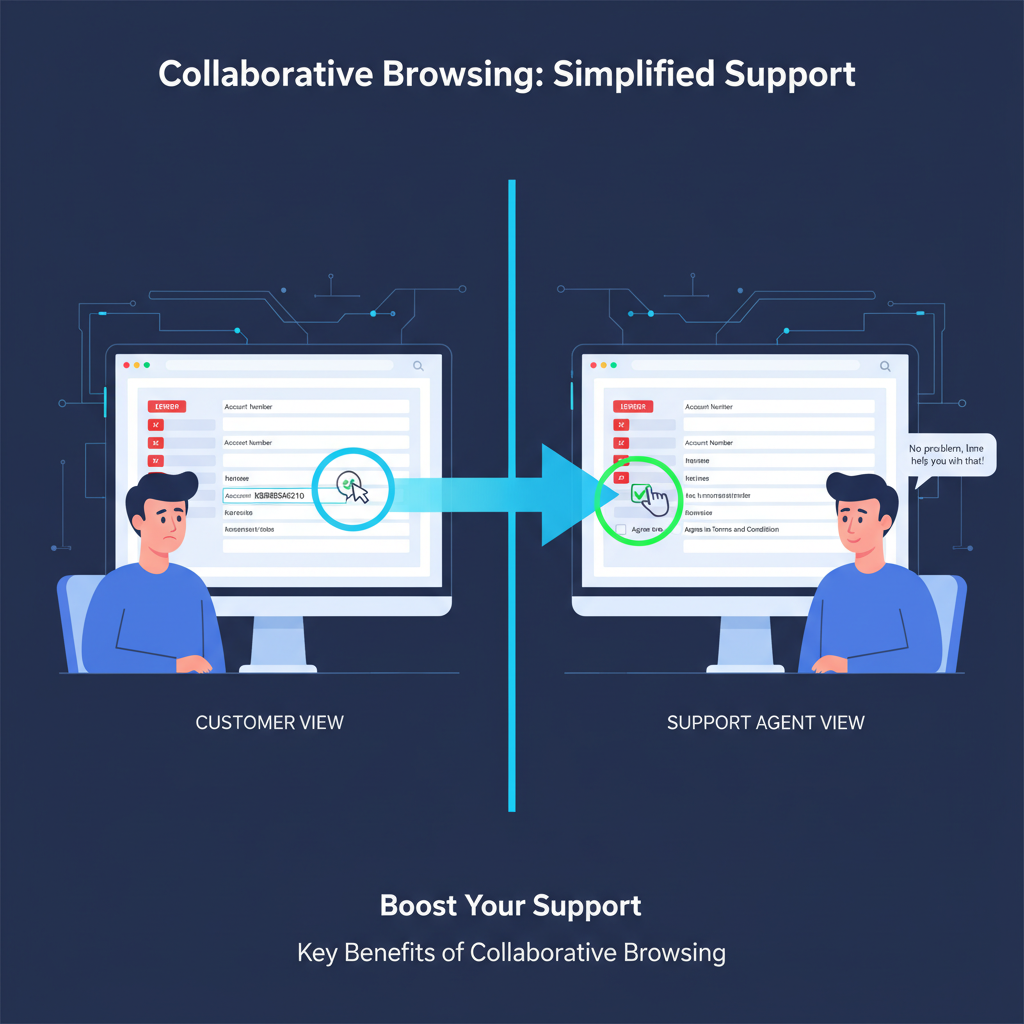
If you’ve been looking for a way to turbocharge your customer support and remote collaboration, it’s time to focus on the benefits of collaborative browsing. This powerful technology lets you guide customers or team members through digital platforms in real time, sharing the same browser view without the frustrations of lengthy phone calls or confusing screenshots. In this post, you’ll learn exactly how collaborative browsing works, why it can transform your customer interactions, and what to consider when choosing an AI-powered solution like Blitzz Co-Browse.
Understand collaborative browsing
Collaborative browsing, sometimes called co-browsing, is a tool that enables two or more people to interact with the same web page simultaneously. Unlike basic screen-sharing solutions, co-browsing only shares the browser tab or application you choose, protecting your privacy while allowing hands-on guidance.
When you initiate a co-browsing session, you can see the other person’s cursor moving on your screen. You can highlight key information, walk them through tricky processes, or fill out digital forms together. This brings a personal touch to remote communication and reduces the back-and-forth that often stalls progress.
Key highlights of co-browsing
- Real-time visual sharing of a specific website or application.
- Ability to interact, click, highlight, or scroll in the same environment.
- Enhanced security by limiting shared content to the active web page.
Improve remote collaboration
Whether your team is distributed across time zones or your customer base spans the globe, collaborative browsing can bridge the physical distance. By working inside the same interface, you reduce miscommunication and speed up tasks that once took multiple emails or calls.
When colleagues can see changes as they happen, misunderstandings drop dramatically. You no longer have to describe every button to click or wait to confirm if the other person is looking at the same screen. Instead, you both see and interact with the same website or internal dashboard.
Advantages for remote teams
- Faster completion of tasks that require shared context.
- Clearer demonstrations of product features or complex workflows.
- Immediate feedback from both parties, eliminating the need for lengthy follow-ups.
Accelerate issue resolution
For customer support and success managers, resolving issues quickly is essential. Collaborative browsing removes the friction of describing technical problems over the phone and hoping the other person finds the right button or link. With co-browsing, you guide them directly, showing each step in real time.
By speeding up resolution times, your support team can handle more tickets without rushing through calls. Customers feel valued because you’re actively assisting them instead of sending generic instructions. This approach demonstrates empathy and responsiveness, both of which are crucial for high-quality support interactions.
Ways co-browsing reduces resolution times
- Immediate identification of errors or confusion on a web form.
- On-the-spot demonstrations, sidestepping guesswork and miscommunication.
- Personalized coaching that builds customer confidence in your service or product.
Build trust and enhance customer experience
In a competitive market, trust is a big differentiator. When customers know they can rely on you for quick, personalized help, they’re more likely to stick around. Collaborative browsing fosters this trust by turning faceless online interactions into guided, helpful conversations.
As you interact with customers on a shared screen, your empathy and expertise come through. You show that you care enough to walk them through each step, ensuring they truly understand and feel supported. This personal touch is what keeps them loyal and encourages them to recommend your service to others.
Customer experience boosts
- Personalized guidance on complex areas, such as payment processes or account setup.
- Clear explanations that show you’re invested in their success.
- Lasting positive impressions, increasing the likelihood of word-of-mouth referrals.
Streamline eCommerce and sales
If you’re an eCommerce operator, you know the challenges of abandoned carts, complex product configurations, or hesitant customers who aren’t sure how to complete a purchase. Collaborative browsing can significantly help here by allowing a sales rep or support agent to guide someone through your site’s checkout process in real time.
Imagine your customer is confused about a payment option or unsure about how to apply a discount code. Instead of sending them a link to an FAQ page, you can co-browse and walk them through each step. This hands-on approach often leads to more completed sales and fewer support calls.
Co-browsing in sales scenarios
- Overcome buyer hesitation by clarifying product features live on your site.
- Guide customers to relevant bundles, upsells, or promotions.
- Simplify account setup and payment steps for a frictionless buying journey.
Support financial services processes
Financial institutions handle sensitive data. Naturally, security and efficiency are top priorities. Collaborative browsing gives banks and insurance companies a safe way to help clients fill out online applications or discuss claims without exposing private information on a full screen share.
With co-browsing, the conversation stays focused on a single page, so customers never have to worry about other tabs or personal files being visible. Meanwhile, support agents can see precisely where users get stuck, explaining the process in real time and preventing errors like incorrect form entries.
Financial benefits of collaborative browsing
- Faster completion rates for loan applications or insurance forms.
- Safer data handling by limiting the shared window to a single page.
- Fewer errors, reducing the need for corrective follow-up calls or emails.
Elevate online education
For EdTech and online educators, collaborative browsing offers a dynamic learning environment. Teachers or tutors can guide students step by step through digital resources, websites, or interactive exercises without leaving their own screens.
By conducting these sessions live, you create an engaging experience that mimics in-person interactions. Students can see exactly how to navigate course materials, perform research, or use specific online tools. This reduces confusion and boosts efficiency in a virtual classroom.
Interactive teaching advantages
- Conduct real-time demonstrations of lesson content and website navigation.
- Encourage student participation by letting them follow along on their own devices.
- Clarify challenging concepts immediately, keeping learners motivated and on track.
Reduce friction for distributed teams
Many B2B SaaS leaders rely on cross-functional teams spread across the world. When rolling out new software or training your staff on updates, you can lose time explaining instructions over chat or email. Collaborative browsing eliminates this friction by allowing your team to join the same webpage and see immediate changes.
Real-time demonstrations cut through language barriers and reduce the risk of confusion. Teams can discuss new requirements or product changes while looking at the same interface. As a result, everyone remains aligned, even when working in different countries or time zones.
Distributed team perks
- Real-time training sessions that don’t require complicated screen shares.
- Immediate feedback and collaboration on product features or marketing pages.
- Universal understanding of changes, reducing the margin of error in rollouts.
Security considerations for safe co-browsing
Security is a valid concern, especially for industries dealing with private customer details. The good news is that most collaborative browsing solutions are designed with safety in mind. Because only a single web app or tab is shared, there’s little risk of exposing sensitive files or personal windows.
Look for co-browsing solutions that use encryption and require secure session tokens. These measures keep your connection private and protect data throughout the session. You can also enable different permission levels, so customers remain in control of what is shared and what is not.
What to look for in a secure co-browsing tool
- Encryption protocols and strict data protection measures.
- One-tab or one-app sharing that prevents accidental exposure of other information.
- Strong session controls, including the ability to pause or end sessions at any time.
Choose an AI-powered solution
With so many options out there, opting for an AI-powered co-browsing solution can enhance your workflows. Blitzz Co-Browse, for instance, uses advanced AI features to intelligently guide user interactions. This can include automated suggestions for common issues, highlighting potential pitfalls, and speeding up your support process even further.
An AI-powered tool can also collect insights on frequent user roadblocks, helping you refine your website or service. By learning from these co-browsing patterns, you can proactively address repeat pain points, streamline processes, and keep your customers happy.
Why Blitzz Co-Browse stands out
- AI-driven insights that predict user needs and reduce repetitive tasks.
- Intuitive interface for both support agents and end users.
- Minimal setup, making it easy to integrate in B2B SaaS, education, and eCommerce environments.
Five frequently asked questions
1. Is collaborative browsing secure?
Yes. In most cases, co-browsing software shares only the specific browser tab you choose, safeguarding the rest of your screen and personal information. On top of that, reputable platforms use encryption and secure session controls to maintain privacy.
2. How is co-browsing different from screen sharing?
Screen sharing typically shows your entire desktop or selected application, while co-browsing focuses on a single webpage. Co-browsing provides more privacy for the agent or user and usually includes interactive elements like shared cursors and real-time highlighting.
3. Can I use co-browsing without downloads?
Absolutely. Most collaborative browsing solutions, including Blitzz Co-Browse, run entirely in the browser. There is no need for your customers to download additional software or plug-ins. This ease of access promotes higher adoption rates and smoother onboarding.
4. Is co-browsing cost-effective?
Co-browsing can help you resolve problems faster, reduce the number of support calls, and even decrease cart abandonment in eCommerce. While the exact cost varies by provider, the efficiency gains and improved customer satisfaction often outweigh subscription fees or one-time costs.
5. Does co-browsing work on mobile devices?
Yes. Many platforms are designed to be device-agnostic, so users on smartphones or tablets can join a co-browsing session. This flexibility is especially helpful for apps and mobile websites, where customers may need guidance on smaller screens.
Ready to transform your support?
Collaborative browsing can be a game-changer for any B2B SaaS leader, remote team manager, or customer support pro looking to deliver top-tier service. By bringing you and your users onto the same page—literally—co-browsing fosters trust, saves time, and enhances the overall experience.
With an AI-powered tool like Blitzz Co-Browse, you can elevate support sessions, train remote teams effectively, and guide customers through complex journeys. Whether you’re in eCommerce, financial services, or online education, co-browsing brings an extra layer of clarity and connection to your digital interactions. If you’re ready to see what collaborative browsing can do, explore your options and start transforming your support strategy today.