 Product onboarding is where good intentions usually fall apart. A person signs up, clicks around for two minutes, gets mildly confused, and disappears before the product has a fair shot. If you want product onboarding to turn first clicks into habit, the goal is simple: get someone to meaningful value fast enough that coming back feels obvious.
A quick definition helps here. Product onboarding is the in-product and surrounding experience that moves someone from initial access to a first real result. It is not a full feature tour, and it is not a pile of welcome messages. It is the shortest, clearest path to a useful win.
Here’s what you’ll learn in this guide:
- What product onboarding actually includes
- Why first value beats first login
- How onboarding affects revenue and support metrics
- How to design flows around activation
- Which patterns to use, and when
- How to reduce friction in signup and checkout
- How to write copy that gets action
- How to measure onboarding without fooling yourself
- What mistakes to fix first
- A practical framework for improving your flow
What Product Onboarding Actually Does
Product onboarding gets a new user from curiosity to competence. That sounds big, but in practice it usually comes down to one thing: helping someone do the first meaningful task without friction, doubt, or unnecessary detours.
That matters more than a guided tour of every tab and setting. Nobody opens a new product hoping to admire the navigation. A person shows up with a job to do, usually while multitasking, with Slack open, email piling up, or a cart about to time out. The onboarding job is to meet that urgency.
Done well, onboarding reduces the gap between “I think this could help” and “I got something useful from this.” That gap is where drop-off lives.
Product onboarding vs. user onboarding vs. customer onboarding
These terms overlap, but they are not the same.
Product onboarding is the path inside the product, plus the immediate prompts around it, that helps someone reach first value. Think welcome screens, setup choices, guided actions, empty states, checklists, and follow-up nudges tied to actual behavior.
User onboarding is often used as a near-synonym, especially in SaaS. In day-to-day work, it usually points more narrowly to the experience for a person using the product, often at the interface level.
Customer onboarding is broader. It can include handoff from sales, implementation, training, security review, stakeholder alignment, success planning, and support. If you need the wider operational view, the bigger post-sale journey matters here.
Implementation is the technical setup. Training is education. Support is problem solving. Product onboarding touches all three, but it is not identical to any of them.
Why “first click” is the wrong finish line
A signup is not success. A login is not success. Even finishing a walkthrough is not success.
Success is activation, confidence, and repeatable progress. If somebody logs in, completes seven guided steps, and still has no clue what to do next, onboarding failed with extra ceremony. This is why first click is such a misleading finish line. It measures entry, not value.
A better frame is first meaningful value. In a support platform, that might be resolving the first issue. In ecommerce, it could be completing checkout without needing help. In a marketing tool, it might be sending the first campaign. Until that happens, intent is still fragile.
Why Good Onboarding Pays Back Across Teams
Onboarding is not just a UX concern. It shows up in conversion rates, support volume, repeat contacts, CSAT, retention, and expansion. That is why product, sales, CX, support, customer success, and IT all end up caring about the same first few minutes, even if each team uses different language.
Research keeps pointing in the same direction. 63% of customers say onboarding influences the decision to subscribe or buy. That means onboarding is not only about what happens after conversion. It shapes conversion itself.
There is also a service angle that gets missed. If a problem gets solved during the first interaction, businesses can prevent 67% of churn. That is a support lesson and an onboarding lesson at the same time. When the product, the guidance, and the assist options work together, fewer people get stuck long enough to leave.
Where onboarding shows up in revenue, service, and self-service metrics
If you own demo conversion, onboarding affects how smoothly a prospect crosses from interest to action. A guided path that gets somebody to configure one useful thing can do more than a polished pitch deck ever will.
If you own support metrics, onboarding affects average handle time and first contact resolution. Better setup prompts, better empty states, and clearer next actions mean fewer “how do I even start?” contacts. Even when a person does reach support, the conversation is shorter because the foundation is better.
If you own self-service, onboarding is the front door. Search, help content, in-app guidance, and contextual nudges all work together. A quiet, useful onboarding layer often does more for self-service success than a huge help center nobody reads.
The cost of friction in the first few minutes
Friction is expensive, and it hides in plain sight.
A few extra form fields. A vague button label. A required verification step with no explanation. A wall of copy in a modal. An empty dashboard that says nothing useful. Each one seems minor on its own. Together, they create that familiar feeling of “I’ll come back to this later,” which usually means never.
The numbers behind that are ugly. 74% of potential customers may switch if onboarding is too complicated. 55% of people have returned a product because they did not understand how to use it. Confusion is not a soft problem. It turns directly into lost revenue, unnecessary contacts, and avoidable churn.
Start With the First Value Moment, Not the Product Tour
Most onboarding gets built in the wrong order. It starts with the interface, then adds explanation, then piles on prompts wherever somebody worries a user might be confused.
The better way is backward. Start with the moment a new user gets a real benefit, then remove everything that slows that moment down.
That shift changes the whole design. Instead of asking, “What should you show first?” ask, “What must happen before someone feels the product working?” That is the strategic center of product onboarding.
Find your activation event
Your activation event is the action that signals somebody is genuinely on the path to value. Not curiosity. Not setup theater. Actual forward motion.
For one product, that event is sending the first campaign. For another, it is completing the first checkout, importing the first data set, resolving the first ticket, or inviting the first teammate. Customer.io explicitly recommends designing around the customer’s aha moment, which is exactly right.
A good activation event has three qualities. It is observable, it ties directly to value, and it predicts return behavior better than vanity actions do. If it does not connect to future retention or conversion, it is probably just a milestone, not activation.
Map the shortest path to that moment
Once the activation event is clear, the next job is ruthless simplification.
Cut setup requests that do not help the user get there. Delay preferences, profile enrichment, optional integrations, and long qualification forms until after value starts showing up. Like giving directions to one door, not every room in the building, good onboarding points toward the next useful step and leaves the rest for later.
This is where many teams overbuild. They try to make the path complete instead of clear. But complete is heavy. Clear wins.
Pick one quick win users can feel
The first win should be visible. Something changes on the screen. A task finishes. A result appears. A problem gets smaller.
That emotional piece matters more than most teams admit. Educational, welcoming onboarding increases loyalty, and 86% of customers say that kind of experience makes them more likely to stay loyal. Progress feels possible, so the product feels worth learning.
That is the trick. People do not build habit from understanding your product map. People build habit from getting a result, then another result, while confidence is still rising.
Segment the Journey So It Feels Built for the Right Person
One generic onboarding flow usually means one mediocre onboarding flow. An admin, an agent, a buyer, and an evaluator do not need the same path, and pretending otherwise just creates noise.
Personalization does not have to mean some giant machine-learning project. Often it starts with a simple fork: who are you, what are you trying to do, and what matters most right now?
Segment by role, use case, intent, or maturity
Role-based onboarding is one of the cleanest wins. Admins need setup and permissions. Editors need content actions. Agents need workflow speed. Buyers need confidence and fewer purchase blockers.
Use-case segmentation works the same way. A first-time buyer needs reassurance. A returning customer may only need a shortcut. A team evaluating your platform needs proof and guidance. An existing account expanding into a new workflow needs re-onboarding, not a welcome parade.
This approach keeps the product from talking over people. It also pairs nicely with faster paths to value in digital experiences, especially when self-service and assisted journeys overlap.
Ask only the questions that unlock better guidance
Every onboarding field needs a job.
If a question helps route somebody to a relevant path, keep it. If it only helps internal reporting, think twice. If it can wait until after the first win, let it wait.
A short role selector or use-case picker is often enough. “Are you setting this up for yourself or a team?” can unlock better templates, different checklist steps, and more relevant copy. Five extra profile questions rarely do.
Use AI and behavior signals without making the experience feel creepy
In 2026, adaptive onboarding is becoming normal. AI-assisted personalization, next-best-step prompts, predictive readiness scoring, and real-time activation reporting are moving from nice extras to baseline expectations.
The useful version of this is simple. Notice what somebody has done, what is missing, and where similar users get stuck. Then surface the most helpful next action. Litmos points to time-to-value as the primary onboarding metric now, and that fits the shift perfectly. AI should shorten the path, not add flair.
The creepy version is overpersonalized copy that feels like surveillance. Skip that. Quietly useful beats weirdly observant every time.
Use the Right Onboarding Patterns at the Right Time
Patterns are tools, not a strategy. Checklists, tooltips, tours, emails, and banners can all help. They can also become clutter fast.
The question is never “Should you use onboarding patterns?” The question is “Which pattern helps at this exact moment?”
Welcome screens, checklists, and setup flows
A welcome screen works when it sets direction. A checklist works when there are a few high-value tasks that clearly lead to activation. A setup flow works when the product actually needs configuration before value can happen.
The catch is that checklists turn into busywork fast. If tasks exist mainly because somebody wants to teach the interface, the list becomes homework. Keep it short. Five to seven steps is usually enough, and the best action belongs near the top.
Tooltips, hotspots, modals, and guided tours
Tooltips and hotspots are best when the user is already near the action. Modals can work for one important choice, but long modal copy is usually just a help article trapped in a popup.
Forced tours are where onboarding often loses the plot. High-performing tours are optional, short, and action-focused. They help complete something real. They do not march users around the product like tourists on a bus.
A simple rule helps: if a prompt appears before the user needs it, it is probably too early.
Empty states, hints, banners, and embedded education
Blank screens are onboarding moments. In fact, they are some of the most powerful ones because the user is already at the point of decision.
A good empty state explains what this area is for, what to do next, and why it matters. It might offer a sample, a template, an import, or a first action button. A bad empty state says “No data yet” and leaves the user alone with the problem.
Hints and banners work best when they answer immediate uncertainty. Embedded education works best when it sits beside the action, not three tabs away in documentation.
Email, chat, SMS, and human assist
Onboarding does not stop at the app edge. A short welcome email can pull somebody back to the next task. A behavior-triggered message can rescue a stalled setup. SMS can help when timing matters. Proactive chat can catch hesitation before abandonment.
For higher-friction journeys, human assist matters a lot. Complex products, assisted checkout, and guided demos all benefit from timely intervention. Support does not need to disappear for onboarding to scale. It needs to show up at the right moment.
Reduce Friction in Signup, Demo, and Checkout
A lot of onboarding advice assumes a SaaS dashboard and stops there. Real businesses deal with demos, financing steps, identity checks, regulated workflows, account creation, and checkouts where one confusing screen kills intent.
That broader view matters because onboarding starts before “inside the product” in many journeys.
Simplify forms, logins, and verification
Shorter forms convert better for a reason. Every field asks for effort, trust, and time. If you ask for too much too early, drop-off is the natural response.
Remove anything you can. Use progressive profiling for the rest. Offer passwordless or social login where appropriate. Delay verification walls when risk allows. And fix error handling so it tells people what happened and what to do next, in plain English.
Even one small change can matter. ProductLed notes that 30% to 50% of signups do not verify email in some flows. That is a brutal place to lose intent.
Add assisted onboarding where conversion is high stakes
Sometimes self-serve is not the smartest move. If your product is expensive, regulated, unfamiliar, or tied to a major purchase decision, assisted onboarding can lift conversion and reduce fallout.
That can mean a guided demo, a live onboarding specialist, proactive chat during setup, or assisted checkout when a buyer stalls on financing, shipping, or account verification. Sales-led organizations often outperform product-led teams on checklist completion because somebody is nudging at the right time. That should not be surprising. Timely human help still works.
The important part is targeting. Offer assist where intent is high and friction is costly.
Use co-browsing when screen sharing is a non-starter
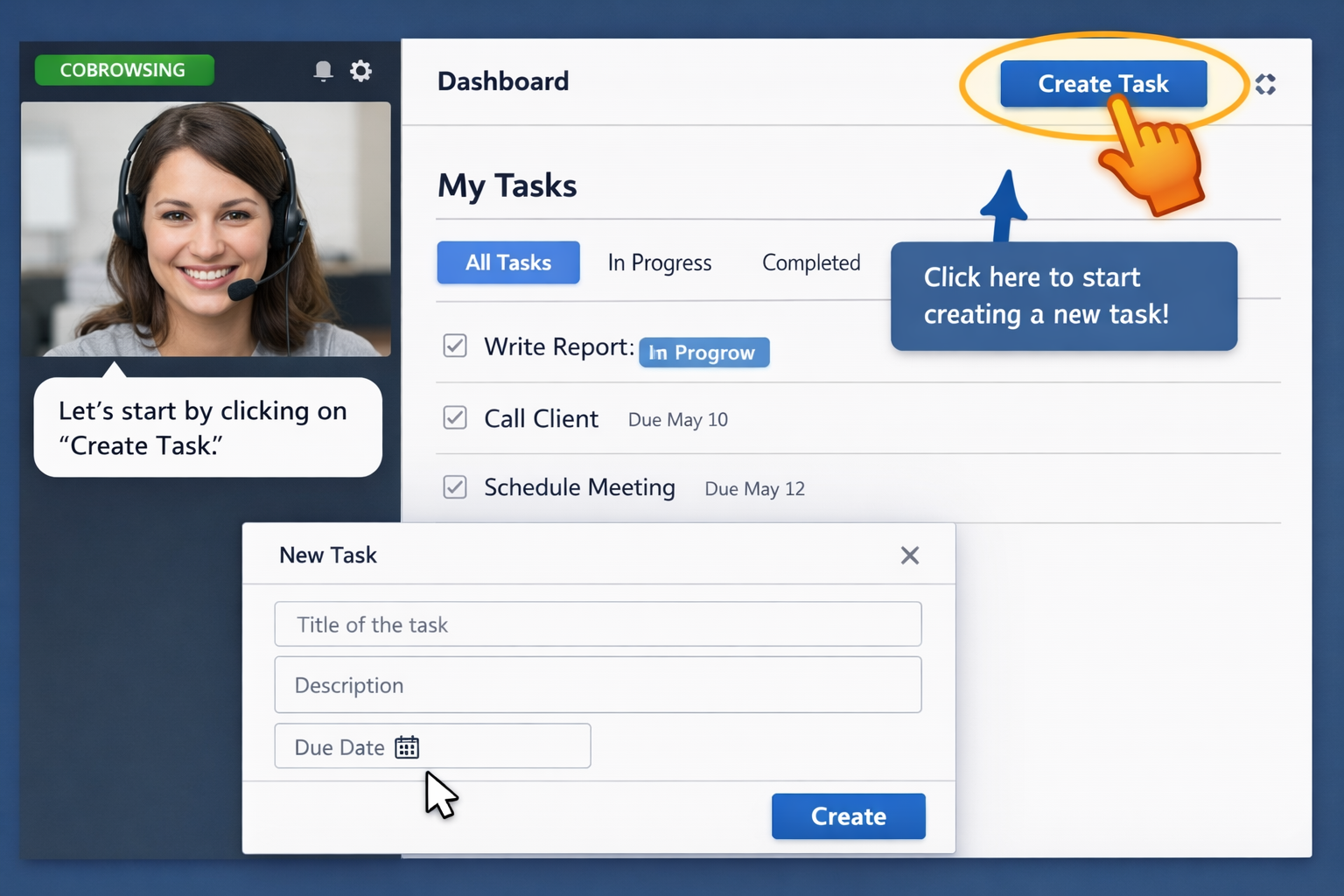
 For regulated industries, screen sharing can be a non-starter because it exposes too much. Co-browsing is different. It lets an agent guide a user through the same webpage or app experience in real time without handing over the entire device or exposing unrelated screens.
That makes it especially useful in support, onboarding, and assisted checkout flows involving personal data, financial details, healthcare information, or security-sensitive settings. You can guide the task, reduce handle time, and keep privacy boundaries tighter.
It is one of those tools that feels obvious once you see the fit.
Write Onboarding Copy That Gets People Moving
Onboarding copy has one job: keep momentum alive. Not impress. Not explain the whole platform. Just help somebody take the next useful action with confidence.
This is where a lot of otherwise decent onboarding gets mushy.
Replace feature language with next-step language
Feature language talks about what the product is. Next-step language tells somebody what to do now.
“Advanced workflow automation” is feature language. “Route your first request” is next-step language. “Unified commerce management” is feature language. “Connect your store” is next-step language.
The stronger version wins because it removes interpretation. It narrows the decision and makes movement feel easy.
Keep guidance short, clear, and skimmable
Short beats clever here. One task per prompt. One idea per message. Define jargon inline, then move on.
If the product needs a paragraph to explain the next step, the product or the step probably needs work. Guidance should feel like a nudge, not a manual. The best onboarding in 2026 is quieter and more contextual, not louder.
Use reassurance at moments of hesitation
People hesitate at permissions, billing, imports, verification steps, security settings, and irreversible actions. That is where reassurance copy earns its keep.
Picture a user at 4:47 p.m. on a Friday, staring at a prompt to connect an account with admin access. That pause is normal. Good copy explains what happens, what does not happen, how data is protected, and why the step matters right now.
Not a legal speech. Just enough confidence to move.
Design for Habit, Not Just Activation
Activation gets someone started. Habit gets someone back.
That difference matters because many onboarding flows celebrate too early. A user completes setup, sees one success screen, and then hears nothing useful until a renewal email months later. No rhythm, no next win, no reason to return.
Habit starts when the first win leads naturally to the second and third.
Turn the first win into the second and third win
If somebody sent the first campaign, prompt the second with a template or audience suggestion. If somebody completed the first checkout, make tracking, reordering, or account setup easy. If somebody resolved one support issue, point to macros, saved replies, or queue setup.
This follow-through is where habits begin. You are not asking for a major commitment. You are building cadence.
Milestone prompts, recurring workflows, and role-based reminders all help because they tie the product to a repeated need instead of a one-time task.
Use progressive disclosure to unlock deeper value over time
Front-loading everything feels thorough, but it usually creates cognitive overload. Progressive disclosure is the better trade. Show what matters now, then unlock deeper value after the basics are in motion.
This makes the product feel easier because it is easier, at least from the user’s point of view. Advanced features appear when they are relevant, not when someone is still trying to figure out where to click first.
Reinforce momentum with feedback, recognition, and proof
People keep going when the system makes progress visible.
That can be as simple as a clear confirmation, a progress indicator, a checklist step closing, a benchmark, or a small celebration after a meaningful action. Not confetti every ten seconds. Just enough feedback to confirm, “Yes, that worked.”
If helpful, add proof. Show what successful users do next. Show outcomes, not hype. Welcoming onboarding builds loyalty because it lowers anxiety and makes progress easier to trust.
Measure What Actually Tells You Onboarding Is Working
Onboarding is easy to mismeasure. Plenty of teams stare at completion rates for tours while retention quietly slips out the back door.
The fix is to measure outcomes tied to value, not activity tied to exposure.
Core metrics: activation rate, time to value, completion, and retention
Activation rate tells you how many new users reach the event that signals meaningful progress. This is your strongest early read.
Time to value tells you how long it takes to get there. If that number drops and retention holds or improves, you are usually moving in the right direction. Completion rate is useful for onboarding elements like checklists or setup flows, but only if completion actually connects to activation. Retention tells you whether the early experience produced lasting behavior or just one session of motion.
If you have to prioritize, prioritize time to value. It forces clarity.
Support and revenue signals that reveal onboarding quality
This is where onboarding becomes cross-functional in a useful way.
Watch average handle time, first contact resolution, CSAT, assisted conversion rate, demo-to-close movement, cart recovery, and self-service success rates. If onboarding improves, these often move with it. Fewer confused contacts. Better recovery from hesitation. More successful self-serve completion.
Customer.io also makes the point that onboarding should be a cross-functional responsibility, which matches what these metrics show in practice. Nobody owns the outcome alone.
Spot drop-off points with funnel and cohort analysis
You do not need fancy analytics theater here. You need to know where people stall, which groups struggle, and what first actions predict return behavior.
Use funnel analysis to see where abandonment spikes. Use cohorts to compare retention for users who completed key actions versus users who did not. Break it down by segment so you can spot whether admins struggle at setup, buyers drop at verification, or returning customers stall at a new feature gate.
That is how onboarding stops being opinion-driven.
Common Product Onboarding Mistakes to Fix First
Most onboarding problems are not mysterious. They are familiar mistakes repeated with slightly different styling.
The “too many steps” trap
Long checklists and bloated setup flows look organized, but they feel expensive. Cut anything that does not directly help first value.
If a step exists mainly because somebody wants cleaner CRM data or a prettier user profile, move it later.
The wall-of-text problem
Dense welcome modals, long onboarding emails, and giant tooltip blocks make people skim, then skip.
Break the message apart. Put explanation at the point of need. If something truly requires detail, link out or layer it behind “learn more.”
The no-exit walkthrough
Forced tours annoy confident users, experienced buyers, and anyone who already knows roughly what to do. Let people skip, resume, or ask for help instead.
Control matters. Guidance should feel available, not imposed.
Treating onboarding like a one-time event
Onboarding is not over after activation. New roles, new features, new use cases, and account expansion all create fresh onboarding moments.
Lifecycle onboarding is where long-term adoption gets protected. Ignore it and you get accounts full of partially adopted features and silent drift.
A Practical Framework You Can Use to Build or Fix Your Flow
If your current onboarding feels messy, do not rebuild everything at once. That is usually how teams lose six weeks and learn very little.
Use a tighter approach.
Step 1: Define the audience and the job they hired your product to do
Get specific about who is entering the flow and what result matters most. Not “small businesses.” More like “support managers trying to reduce repeat contacts” or “buyers trying to complete a regulated checkout without calling.”
Once that is clear, the rest gets easier.
Step 2: Identify the activation event and blockers
Pick the one action that signals the user is on the way to value. Then list everything slowing that action down: extra fields, unclear labels, missing reassurance, poor empty states, unnecessary verification, bad timing, no assist option.
Be honest here. Most blockers are hiding in plain sight.
Step 3: Choose the smallest set of onboarding interventions
You probably do not need a full rebuild. You may need a welcome screen with role selection, a short checklist, two contextual prompts, one triggered email, and an assist option for high-friction moments.
That is enough surprisingly often.
Step 4: Test one change at a time
Small experiments beat wholesale redesigns. Change one field. Rewrite one key message. Move one verification step. Add one empty-state prompt. Then measure before and after.
That pace is slower emotionally, but faster operationally because you actually learn what worked.
Product Onboarding Examples and What to Borrow From Them
Examples are useful when you steal the principle, not the surface treatment.
Role-based onboarding for complex products
Complex products benefit hugely from role-based paths. An admin may need integrations and permissions. An editor needs content workflows. An agent needs queue handling and macros. A buyer needs checkout clarity and trust signals.
Borrow the principle: reduce noise by showing only what helps this person move now.
Ecommerce and checkout onboarding that recovers intent
Ecommerce onboarding is easy to underestimate because it often looks like “just checkout.” But account creation, financing, shipping choices, promo codes, and verification all create onboarding moments.
Borrow the principle: if intent is high and hesitation shows up, guide the next step immediately. A little assistance here can save a sale that generic UX polish cannot.
Support and service onboarding that improves self-service
Support onboarding is not only for agents. Customers need onboarding into self-service too. Better search prompts, clearer issue categories, stronger empty states, contextual help, and co-browsing for stuck moments all reduce repeat contacts and shorten handle time.
Borrow the principle: self-service works better when it feels guided, not abandoned.
What’s Changing in Product Onboarding in 2026
The biggest change is not flashy. Onboarding is getting quieter, smarter, and more responsive.
Adaptive onboarding is replacing static tours
One linear walkthrough for everyone is fading out. Behavior-based paths are taking over because they fit reality better. Different users take different routes, stall at different points, and need different prompts.
Static tours assume sameness. Adaptive onboarding assumes actual behavior.
Predictive signals can catch friction before churn
Readiness scoring, activation alerts, and real-time visibility can show who is stuck before the account goes cold. That matters because regret and churn often start early. Litmos cites 59% of SaaS buyers regretting at least one software purchase, with adoption challenges among the main reasons.
If you can spot friction early, you can intervene while intent still exists.
Human help is getting smarter, not disappearing
AI will handle more guidance, search, and prompting. Good. It should. But human help is not going away. It is becoming more targeted.
The future is not less support. It is support used at the right moment, with better context, better signals, and better tools.
Your 30-Day Product Onboarding Improvement Plan
You do not need a giant initiative to improve onboarding. Try one focused month.
Week 1: Audit the first-run experience
Go through signup, first login, empty states, prompts, and dead ends like a new user would. Notice every moment where the next step is unclear or trust gets shaky.
Do it on a laptop and a phone. Try it late in the day when patience is thinner. Problems show up faster then.
Week 2: Cut one major friction point
Pick the one field, step, or message causing the most damage and fix that first. Maybe it is verification timing. Maybe it is vague copy. Maybe it is a dead-end empty state.
One clean fix beats ten minor tweaks.
Week 3: Add one guided path to first value
Create a short checklist, contextual prompt, or assisted moment tied directly to your activation event. Keep it practical. Keep it brief.
The goal is not a prettier onboarding layer. The goal is movement.
Week 4: Review results and queue the next test
Look at time to value, activation, support impact, and conversion changes. Then line up the next experiment based on what the data and the friction both say.
Try one thing, learn fast, repeat. That is how onboarding gets better without turning into a never-ending redesign.
Frequently Asked Questions
What is product onboarding in simple terms?
Product onboarding is the experience that helps a new user get from first access to first meaningful result. It includes the steps, guidance, copy, and support that make early success easier.
How is product onboarding different from customer onboarding?
Product onboarding focuses on the in-product path to value. Customer onboarding is broader and can include sales handoff, implementation, training, support, and long-term adoption work.
What is the most important product onboarding metric?
Time to value is usually the strongest single metric because it shows how quickly somebody reaches a useful outcome. Activation rate comes right behind it because it tells you how many users actually get there.
How long should an onboarding flow be?
Only as long as it needs to be to get someone to first value. If a step does not help that happen, move it later or cut it. Shorter is usually better, but clarity matters more than raw step count.
Should onboarding be different for different user types?
Yes. Admins, agents, buyers, evaluators, and casual users need different guidance. Even light segmentation by role or use case can make onboarding feel dramatically more relevant.
Is a product tour enough for onboarding?
No. A tour can help in some moments, but onboarding is bigger than a walkthrough. Good onboarding includes the right prompts, timing, empty states, follow-up messages, and human help when the journey gets stuck.